GoClaw Lite: Professional AI Multi-agent Orchestration Tool for Desktop

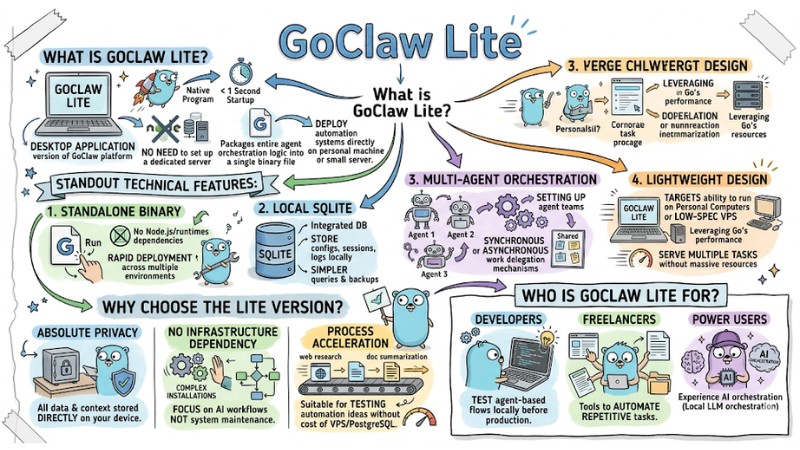
GoClaw Lite is the desktop application version of the GoClaw platform, focusing on operating and orchestrating local AI multi-agents through a single executable file. This article introduces the GoClaw Lite concept, compares it with GoClaw Standard, provides a quick installation guide, and suggests use cases for personal work automation.
Key Takeaways
- Concept: Understand that GoClaw Lite is a lean AI Multi-agent orchestration version for desktop, helping to deploy local automation systems quickly via a single executable file.
- Why Choose It: Grasp the advantages of absolute privacy and operational simplicity, allowing users to focus on building AI workflows without worrying about complex infrastructure maintenance.
- Version Comparison: Clearly distinguish the differences between GoClaw Lite and GoClaw Standard regarding deployment environments, databases, and agent limits to help you make the right choice for your actual needs.
- Installation Method: Know how to quickly set up the tool on Windows, macOS, and Linux operating systems, shortening preparation time to start operating AI agents immediately.
- Target Audience: Identify optimal user groups such as Developers, Freelancers, and Power Users to evaluate the practical value of the tool in supporting professional work.
- FAQ: Clarify issues regarding security, system requirements, and when to upgrade, helping users feel more secure when deploying AI agents on personal devices.
What is GoClaw Lite?
GoClaw Lite is the desktop application version of the GoClaw platform, designed as a native program that allows for operating local AI Agents with a startup time of under 1 second and no need to set up a dedicated server. Instead of requiring Node.js or complex infrastructure, GoClaw Lite packages the entire agent orchestration logic into a single binary file, enabling you to deploy automation systems directly on your personal machine or a small server.
Standout Technical Features:
- Standalone binary: Simply run one binary file; no dependency on Node.js or intermediate runtimes, suitable for rapid deployment across multiple environments.
- Local SQLite: Uses SQLite as the integrated database to store configurations, sessions, and logs locally, making queries and backups simpler.
- Multi-agent orchestration: Supports setting up agent teams with synchronous or asynchronous work delegation mechanisms, where each agent has its own configuration and context.
- Lightweight design: Targets the ability to run on personal computers or low-spec VPS, leveraging Go's performance to serve multiple tasks without requiring massive resources.
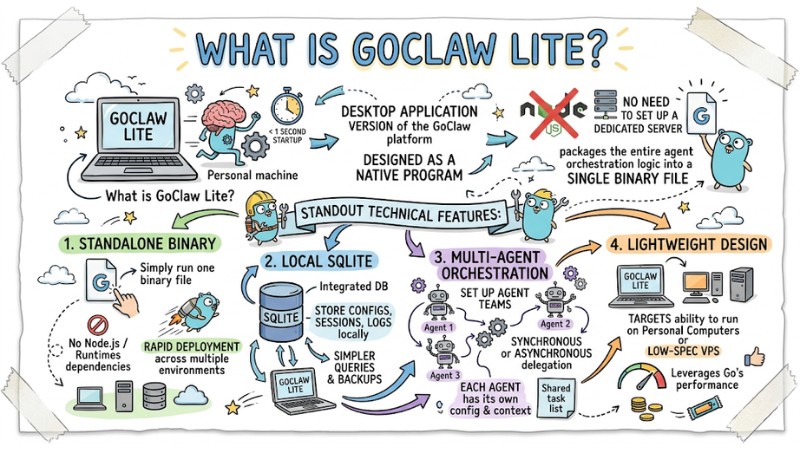
GoClaw Lite is the desktop application version of the GoClaw platform
Why Choose the Lite Version?
The Lite version is the perfect stepping stone to get acquainted with the GoClaw ecosystem before needing to scale larger. It is the optimal tool for personal agent-based task automation thanks to high security and operational simplicity.
- Absolute Privacy: All data and context are stored directly on your device.
- No Infrastructure Dependency: Eliminates the risks of complex installations, helping you focus on creating AI workflows instead of system maintenance.
- Process Acceleration: Suitable for testing automation ideas without spending costs on renting a VPS or configuring PostgreSQL.
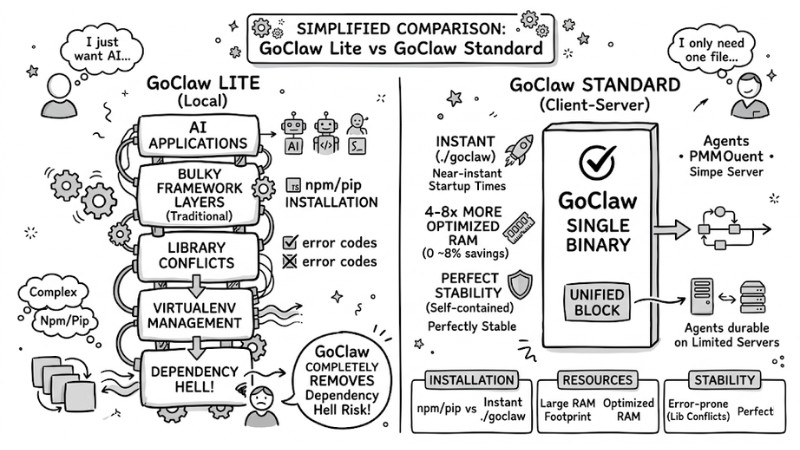
Compare between GoClaw Lite and GoClaw Standard
Comparing GoClaw Lite and GoClaw Standard
Choosing a version depends on your actual needs. The table below helps you clearly define the differences:
| Criteria | GoClaw Lite (Desktop) | GoClaw Standard (Server) |
|---|---|---|
| Environment | Personal Computer (Desktop) | Server (Server/Cloud) |
| Database | SQLite (Local) | PostgreSQL |
| Agent Limit | Maximum 5 agents | Unlimited |
| Deployment | Single executable file | Docker/Docker Compose |
| Features | Personal / Testing | Multi-tenant (Multi-user) |
Quick Installation Guide
You can launch GoClaw Lite with just a few simple commands in the terminal. Note: Ensure your computer has the permission to execute these scripts.
Installation Guide for macOS/Linux:
curl -fsSL https://raw.githubusercontent.com/nextlevelbuilder/goclaw/main/scripts/install-lite.sh | bash
Installation Guide for Windows (PowerShell):
irm https://raw.githubusercontent.com/nextlevelbuilder/goclaw/main/scripts/install-lite.ps1 | iex
After installation, find the GoClaw Lite executable file in the directory specified by the script and run the program to start setting up your first agents on your machine.
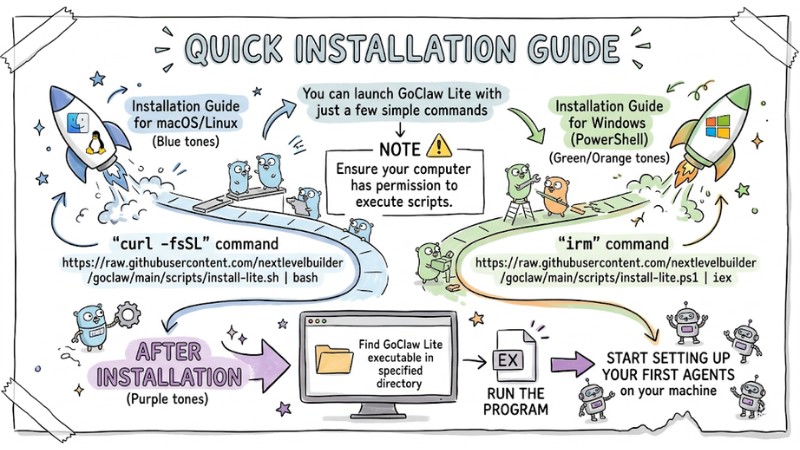
Instructions for installing GoClaw Lite on the terminal
Who is GoClaw Lite For?
GoClaw Lite is not for everyone, but it is extremely effective for the following user groups:
- Developers: Those who want to test agent-based flows locally before moving to production.
- Freelancers: Need tools to automate repetitive tasks such as web research, document summarization, or personal file management.
- Power Users: Tech-savvy individuals who want to experience AI orchestration (Local LLM orchestration) without being subject to the control of closed SaaS platforms.
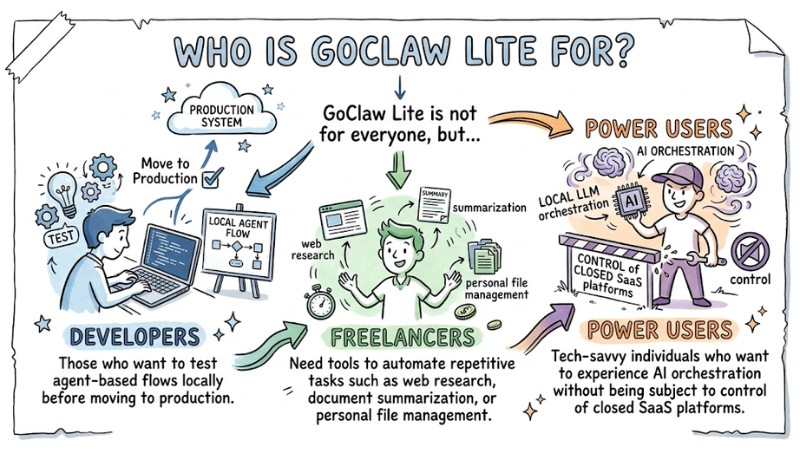
Who is suitable to use GoClaw Lite
FAQ
Does GoClaw Lite need Docker to run?
No. GoClaw Lite is a standalone binary; therefore, you do not need Docker or any other virtualization software to operate it.
When should I upgrade to the Standard version?
When your management needs exceed 5 agents, or when you need to deploy the system for multiple concurrent users (Multi-tenant) with a centralized database like PostgreSQL.
Is data secure on the Lite version?
Yes. All data is saved locally via SQLite. You have full control over your data files without needing to send any information to third-party servers.
Read more:
- OpenClaw Review: Evaluating a Self-Hosted Open-Source AI Agent
- GoClaw Features: Lean AI Agent Solution Using Golang
- Configuring OpenClaw Channels: Integration and Management Guide
GoClaw Lite is suitable for developers, freelancers, and power users wanting to test or operate a maximum of about 5 AI agents on a personal machine with locally stored data and a simple deployment process. When the need expands to multiple users, multiple agents, and centralized server infrastructure, you can consider switching to GoClaw Standard to leverage multi-tenant capabilities and databases like PostgreSQL.